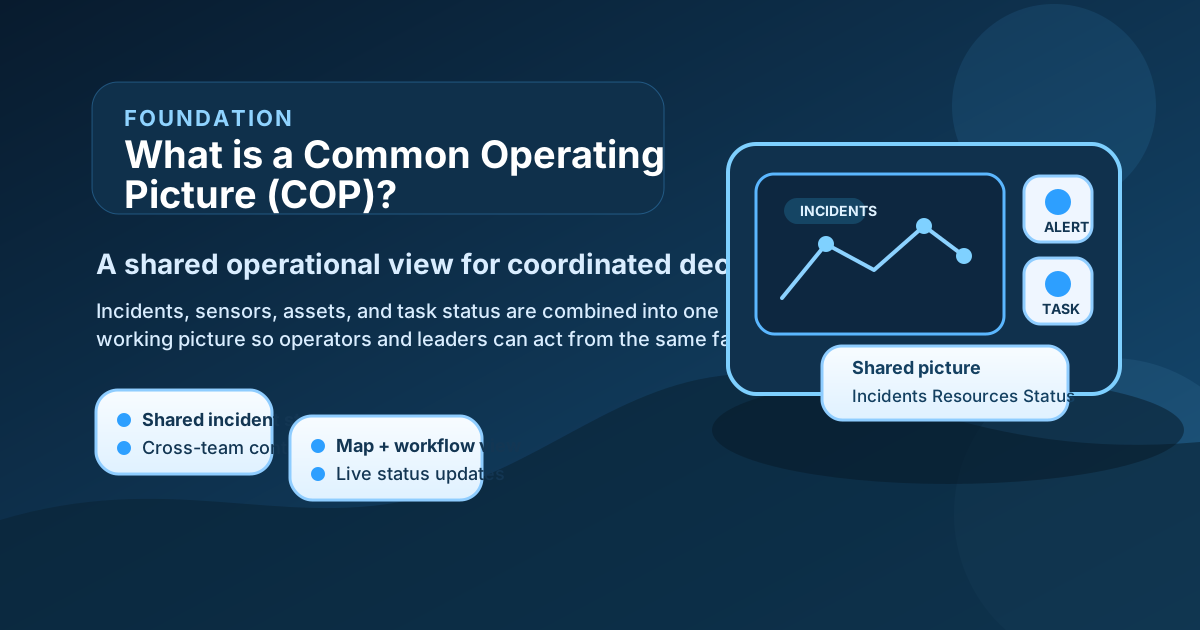
What is a common operating picture, and why do so many command centers talk about it? In simple terms, a common operating picture, usually shortened to COP, is a shared view of operational information that helps multiple people understand the same situation at the same time. Instead of each team holding its own fragment of the story, a COP is meant to show the important facts in one place so people can coordinate faster and make better decisions.
That makes the idea broader than a map, a dashboard, or a list of alarms. A map can be one part of a COP. A dashboard can be one part of a COP. But the real point is shared understanding. If the police team, facility operator, drone response team, incident commander, and control room all see different versions of the situation, then coordination slows down. A COP is supposed to reduce that problem by giving everyone a common reference view of the incident, the resources involved, and the status of key actions.
The emergency-management world explains this clearly. FEMA’s Incident Command System reference guide describes a common operating picture as a continuously updated overview of incident information that supports planning, tracking progress, and decision-making, and that is shared across participating organizations. DHS describes its own common operating picture in similar terms, emphasizing information fusion, real-time visualization, and decision support. Even though those examples come from public-safety and national-response contexts, the beginner lesson applies equally well to industrial security, perimeter surveillance, and multi-sensor command platforms.
So the short answer is this: a COP is a shared operational view built to support action. It is not just there to look impressive on a large screen. If it does not help people understand what is happening, what matters right now, and what they should do next, then it is not doing the real job of a COP.
What a Common Operating Picture Actually Means
Beginners sometimes hear the phrase and imagine one giant video wall. That image is understandable, but it is too narrow.
A common operating picture usually brings together several kinds of information, such as:
- event or alarm status,
- sensor or camera views,
- map layers,
- team or asset positions,
- incident notes,
- weather or airspace context,
- workflow status,
- and communications updates.
The key word is common. A COP is meant to reduce disagreement about the state of the operation. The shared picture does not mean every person sees the exact same screen all the time. Different roles may need different detail levels. A field operator may care about the nearest camera, access gate, and patrol route. A supervisor may care about incident priority, team assignment, and escalation status. A regional command center may care about cross-site patterns and resource load. The picture is still common when those views come from the same operational truth rather than from isolated, conflicting data silos.
That is why a COP should be understood as a coordinated information layer, not as one specific user interface layout. In some systems the COP is map-centric. In others it is alarm-centric or timeline-centric. In more mature systems it mixes map, sensor, workflow, and communications context in one operator view. The correct design depends on the mission, but the principle stays the same: people should be able to reach a shared understanding of the situation quickly enough to act.
In security operations, the phrase often appears around command software, site management platforms, border-monitoring systems, event operations, or counter-UAS control rooms. In those settings the COP may include radar tracks, camera feeds, no-fly zones, patrol locations, alarm status, and action history. The important point is not the brand name of the platform. The important point is whether the information is synchronized, relevant, and usable.
How a COP Is Built
A common operating picture is usually created in layers rather than appearing from one source.
First, raw information enters the system. That might come from cameras, radars, access-control logs, RF detectors, weather feeds, airspace notices, radio reports, operator notes, or external databases. On their own, those feeds are only fragments. They can also be noisy, duplicated, late, or inconsistent.
Second, the information is normalized and organized. Different systems may describe the same incident differently, use different timestamps, or assign different locations. A practical COP needs some way to reconcile that. Otherwise the “shared picture” turns into multiple conflicting records describing the same event.
Third, the system adds context. A radar alert by itself tells only a small part of the story. When that alert is tied to a map position, a restricted area, nearby cameras, operator notes, weather conditions, and response status, the event becomes easier to understand. Context is what turns data into a usable picture.
Fourth, the information is presented in a way people can act on. This is where dashboards, maps, incident cards, track lists, and workflows matter. A COP that is technically complete but hard to read under time pressure can still fail operationally.
Finally, the picture must keep updating. The word operating matters. A COP is not a static report. It should reflect the current situation closely enough for ongoing decisions.

Figure: Synthesized explainer showing how sensors, reports, and external feeds are organized into a shared operating picture for operators and decision-makers.
This is why people often confuse a COP with “a lot of screens.” The screens are only the last step. The harder part is collecting the right information, keeping it current, presenting it clearly, and making sure different teams trust the same picture.
What Information Belongs in a COP
The answer depends on the mission, but good COP design usually starts with one question: what information helps this team understand and manage the event?
For incident management, FEMA’s reference material ties the COP to planning, progress tracking, and support for decisions across an operational period. That means the COP should contain the information needed to understand incident status, priorities, resources, and next actions. In a security environment, similar logic applies.
Typical COP elements may include:
- a map or site layout,
- live incident markers,
- alarm priority,
- related sensor cues,
- camera or imagery links,
- restricted or sensitive zones,
- patrol or vehicle positions,
- task ownership,
- escalation status,
- communications notes,
- and timeline updates.
What does not belong? Information that adds visual weight but not operational value. One of the most common COP failures is putting too much data on screen simply because it is available. A large map filled with dozens of icons, tracks, layers, and metrics can look powerful while actually slowing down understanding. A beginner should remember that a COP is not judged by how much it displays. It is judged by whether the right people can understand the situation faster and more reliably.
This is also where essential elements of information, or EEI, become useful. FEMA’s ICS material explains EEI as the important information items that support situational awareness, decision-making, and population of the common operating picture. That idea is highly relevant outside emergency management too. If a control room does not know which data elements matter most, it will often overwhelm the operator with low-value information.
Why a COP Matters in Security and Surveillance
In surveillance and site security, the operational problem is often not the lack of data. It is the lack of shared interpretation.
Imagine a site where radar detects a low-altitude target, a camera operator sees movement near a fence line, and a security supervisor receives an access-control anomaly at the same time. If each signal stays in its own system, the team may respond slowly or misunderstand the threat. A COP helps connect those pieces into one operational view.
That shared view matters because modern security is rarely a one-sensor problem. A perimeter event may involve radar, EO/IR cameras, access control, patrol teams, and a command application. A drone incident may involve RF detection, radar tracks, camera confirmation, geofences, and local response coordination. A port event may involve vessel traffic, shoreline cameras, patrol boats, and incident logs. In each case, the COP helps different people see the same operational picture instead of operating from isolated fragments.
This does not mean every site needs a huge national-level dashboard. A COP can be local, regional, or enterprise-wide. The scale changes, but the purpose stays consistent:
- align the teams,
- reduce confusion,
- support faster decisions,
- and keep the incident status visible as conditions change.
That is why the COP concept shows up in emergency management, critical infrastructure protection, and modern multi-sensor security software. It solves a coordination problem, not just a display problem.
What Makes a COP Useful or Weak
A useful common operating picture has a few recurring qualities.
Timeliness
If updates arrive too late, the picture may already be wrong. A delayed COP can be more dangerous than no COP because it creates false confidence.
Shared Definitions
Teams need to agree on what an incident status, threat level, location, and task state actually mean. If one team marks an event as resolved while another still sees it as active, the common picture stops being common.
Relevant Context
Good COP design includes the context that changes decisions: geography, restricted zones, sensor confidence, asset location, weather, or task ownership. Bad COP design adds clutter without helping judgment.
Clear Role Views
The same system may need operator, supervisor, and executive views. The COP remains common when those views pull from the same operational truth, even if the interface differs by role.
Update Discipline
A COP is not maintained only by software. Humans also matter. Notes, task status, field reports, and incident closures must be updated consistently or the shared picture drifts away from reality.
Trust
Teams must believe the COP is worth looking at. If the map is often stale, if alarms duplicate constantly, or if position data is unreliable, people stop using the COP as the decision center.

Figure: Synthesized factor map showing why COP quality depends on timeliness, shared definitions, context, role design, update discipline, and trust.
Beginners should notice that most of these factors are not about screen size or graphics. They are about information quality and workflow discipline.
A COP Is Not the Same as a Data Dump
This is one of the biggest misunderstandings.
A system can collect many feeds and still fail to provide a useful common operating picture. If the result is just a crowded screen full of unrelated widgets, tracks, and alerts, the operator may have more data but less clarity.
A true COP should answer practical questions such as:
- what is happening,
- where it is happening,
- how confident we are,
- who is responding,
- what has already been done,
- and what decision is needed now.
If the interface cannot answer those questions quickly, it is probably closer to a monitoring console than to a real common operating picture.
This distinction matters especially in multi-sensor security. It is easy to connect radar, EO, RF, and access-control data into one software environment. It is much harder to shape those feeds into a view that supports actual response decisions. That is where many systems look integrated on paper but feel fragmented in live use.
Common Mistakes
Several mistakes appear again and again.
“A COP is just a big map”
No. A map may be the visual center, but the COP also needs event status, task context, and shared interpretation.
“If all data feeds are connected, we automatically have a COP”
No. Integration is necessary, but a common operating picture also requires normalization, relevance, and usable presentation.
“More layers mean better awareness”
No. Too many layers can hide the real problem. Good COP design removes ambiguity; it does not create visual overload.
“Every role should see the exact same screen”
Not necessarily. Different roles often need different detail levels. What must be common is the underlying operational truth, not every pixel of the interface.
“The software alone maintains the COP”
No. People, procedures, and update discipline are part of the system. If teams do not maintain incident status and task information, the picture degrades quickly.
What This Means in Practice
For a beginner, the best mental model is this: a common operating picture is a shared working view of the operation.
If you are evaluating a security platform, asking whether it has a COP is not enough. The better questions are:
- what information becomes visible together,
- how quickly the view updates,
- which teams share it,
- what actions can be taken from it,
- how clutter is controlled,
- and how the system keeps incident status aligned across roles.
Those questions reveal whether the COP is operationally useful or merely present in marketing language.
This also helps with system design. In a site-security or counter-UAS setting, the COP should help the team move from detection to understanding to action. A radar alert, camera cue, restricted-zone overlay, and task assignment should not live in four unrelated screens if the operation depends on them being understood together.
That is why the strongest COPs are usually built around decisions rather than around raw data volume. They help the operator decide what matters, what is changing, and what needs to happen next.
Conclusion
A common operating picture is a continuously updated shared view of operational information that helps teams understand the same situation and act from the same understanding. It is used in emergency response, security operations, and command platforms because modern incidents are rarely understood well from one feed alone.
The key takeaway is that a COP is valuable when it creates shared clarity, not when it simply displays more data. Timely updates, trusted information, relevant context, and consistent workflow matter more than screen count or visual complexity. If a platform helps teams see the same incident, track progress, and make coordinated decisions, then it is doing the real work of a common operating picture.